Law firm appointment scheduling software — tilkbook
tilkbook gives solo attorneys and small law firms a professional consultation booking page. Clients self-schedule initial consultations 24/7, deposits screen time-wasters, and automated reminders cut no-shows without a receptionist.
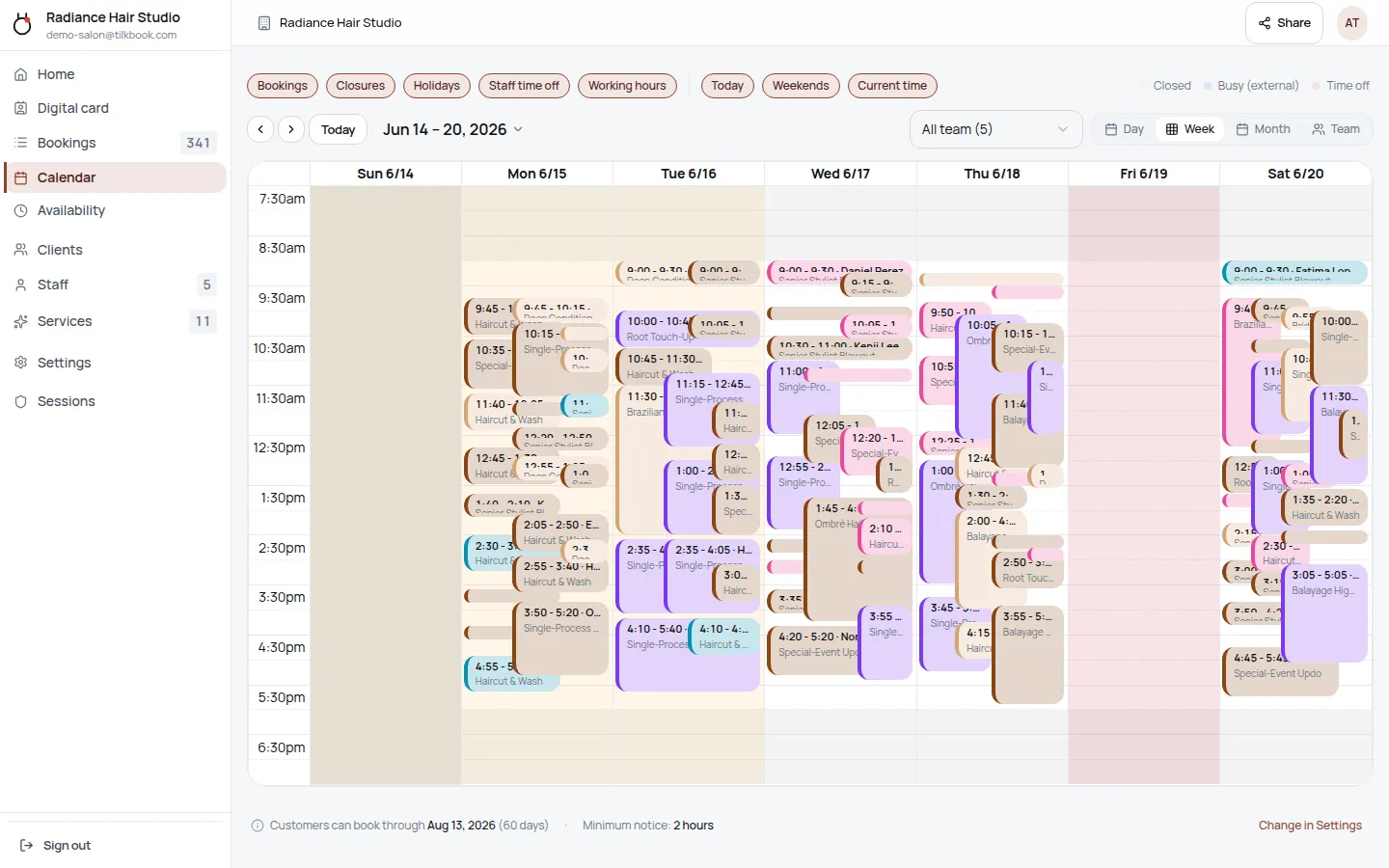
Why does online booking for lawyers need to be different?
No-shows waste irreplaceable billable hours
An initial consultation that no-shows burns 30–60 minutes of billable time with zero recovery. A deposit collected at booking changes client behaviour — paid consultations show up.
Potential clients call after hours and move on
New-client inquiries arrive in the evening and on weekends. A public booking page captures that interest the moment it exists — the person books themselves into the next available slot instead of calling your competitor.
Multiple attorneys need separate calendars and services
A family law attorney and a business formation attorney have different availability, different services, and different consultation lengths. Each needs their own booking page with their own service menu.
What features matter for lawyers?
Per-attorney booking pages
Each attorney gets their own availability calendar and service menu. Clients select the right attorney for their matter — family law, estate planning, business formation — and see only that attorney's available slots.
Consultation deposits via Stripe
Charge a consultation fee or deposit at booking with the optional Stripe payments add-on. The slot confirms only after payment clears — qualifying leads before they reach the calendar.
No-show and late-cancellation fees
If a paid consultation no-shows, tilkbook charges the configured fee to the saved payment method via Stripe — no manual follow-up. Fees are shown to clients at booking time.
Email and SMS reminders
Automated confirmation and reminder emails go out on every plan. SMS text reminders are available as a paid upgrade — useful for reducing consultation no-shows.
Embeddable booking widget
Add a booking button, popup modal, or inline iframe to your law firm website in minutes. No developer required — clients book directly from your site without leaving it.
Google Calendar sync
Connect each attorney's Google Calendar. New bookings appear automatically as calendar events; existing calendar blocks hide those slots on the booking page.
What is the best free scheduling software for a law firm?
tilkbook is free online appointment scheduling built for solo attorneys and small law firms. A law firm creates a public booking page at a custom URL, sets up consultation types as bookable services — initial consultation, estate-planning meeting, discovery call, client intake meeting — and assigns each service to the relevant attorney. Clients pick a service, choose an available attorney, select a date and time, and confirm — all without calling the office. Automated email confirmations and reminders go out immediately, and the firm’s admin calendar shows every booked consultation at a glance.
The core scheduling product is genuinely free: unlimited bookings, no credit card, no per-booking fee. Law firms that want to charge a consultation fee or deposit activate the optional Stripe payments add-on to collect funds at booking. Firms that want to text-remind clients alongside email reminders add SMS notifications as a paid upgrade. Everything else — the calendar, staff management, client records, waitlist, digital business card, Google Calendar sync, and embeddable booking widget — is included in the free tier. Setup for a solo attorney typically takes under 20 minutes.
Why do law firms lose clients to missed initial consultations?
The initial consultation is a law firm’s most vulnerable touchpoint. A potential client researching a family law matter or a personal injury claim has already spoken to one or two other firms before they reach you. If your office is closed when they call, they leave a voicemail — and often call the next firm on the list. If they do book a slot but the consultation was free, they may not show up if something more convenient comes along. tilkbook addresses both failure modes.
A public booking page captures after-hours interest the moment it exists. A prospective client who finds your firm at 9 pm on a Tuesday can book a 30-minute initial consultation for Thursday morning without waiting for the office to open. The booking confirmation arrives instantly and the calendar reminder fires automatically. No intake coordinator, no phone tag, no leads lost to voicemail.
The deposit on a paid consultation is the second lever. When a client pays a consultation fee at booking via Stripe, the no-show rate drops sharply. The payment signals intent — a client who has paid to speak to an attorney about their matter, retainer options, or contingency eligibility is a qualified lead. The deposit also recaptures value when a client cancels inside the cancellation window you configure. A personal injury practice, an immigration consultation firm, or a criminal defence attorney charging for initial consultations will find the deposit step immediately reduces calendar waste.
How does per-attorney scheduling work at a small firm?
tilkbook’s staff management gives each attorney their own availability calendar, their own assigned services, and their own booking page. A firm with a family law partner, a business formation associate, and an immigration consultation attorney sets up three staff members with distinct service menus.
The family law partner lists services like “Initial Consultation — Family Law (60 min)”, “Discovery Call — Divorce (30 min)”, and “Will and Trust Review (45 min).” The business formation associate lists “Business Formation Consultation (30 min)” and “LLC Setup Call (45 min).” The immigration attorney lists “Immigration Consultation (30 min)” and “USCIS Case Review (60 min).” A legal assistant or paralegal can be added as a team member with their own calendar to handle administrative intake meetings separately from attorney-facing consultations.
Clients booking a family law matter never see the business formation attorney’s calendar. Each attorney’s availability engine respects their working hours, buffer time between consultations, and any time-off blocks. A partner can mark Tuesday afternoons as unavailable for intake meetings without affecting the other attorneys’ calendars. Court dates, bar association obligations, and real estate closing days can be blocked per attorney independently.
For recurring clients — an ongoing civil litigation matter, an estate planning retainer, a business client needing periodic legal check-ins — the recurring appointment feature lets the attorney or paralegal set up a repeating check-in meeting once. The recurrence runs on an RRULE schedule (weekly, biweekly, monthly) and the client receives automatic reminders before each session.
Does tilkbook send automated reminders to clients before consultations?
Yes. Email reminders and confirmations are included in the free tier. When a client books an initial consultation, they receive an immediate booking confirmation with the appointment details, attorney name, and any instructions added to the service description — parking instructions, what documents to bring, or a video call link for remote consultations.
Automated reminders fire before the appointment at intervals you configure — for example, 48 hours before and 2 hours before. Reminder timing is configurable per service, so a 30-minute discovery call might get one reminder while a 90-minute estate-planning meeting gets two. Firms that want to reach clients by text in addition to email can add SMS reminders as a paid upgrade.
When an attorney or staff member cancels or reschedules a consultation, the client receives an automated notification immediately. The client can also self-reschedule via the secure link in their confirmation email, within the rescheduling window you set. The full booking lifecycle — confirm, reschedule, cancel, mark no-show, excuse no-show — is handled from the admin calendar without manual email drafting.
How does the waitlist work for a busy practice?
When an attorney’s calendar is fully booked for an upcoming period, clients can join a waitlist for that service. The waitlist is fully automatic: if a client cancels or reschedules their consultation, the system immediately offers the freed slot to the first waitlisted client via an email claim link. The client has a limited window to claim the slot before it moves to the next person in the queue.
This fills last-minute openings without any manual follow-up from the firm’s intake team or paralegal. A high-demand estate planning attorney, a personal injury attorney running free initial consultations during a case surge, or a criminal defence firm with a full calendar will find the waitlist keeps availability utilised without a phone call from a legal assistant.
Can we embed the booking form on our law firm website?
Yes. tilkbook’s embed configurator generates a booking widget in four formats: a direct booking-page link (for email signatures, LinkedIn profiles, or the firm’s Google Business listing), a popup modal triggered by a button, an inline iframe embedded in a page, and a floating button fixed to the corner of any page on your site.
The embed code is a standard snippet — paste it into any page of your WordPress, Squarespace, Wix, or custom HTML firm website. Clients complete the entire booking flow without leaving your site. When the Stripe payments add-on is enabled, the payment step is also embedded seamlessly.
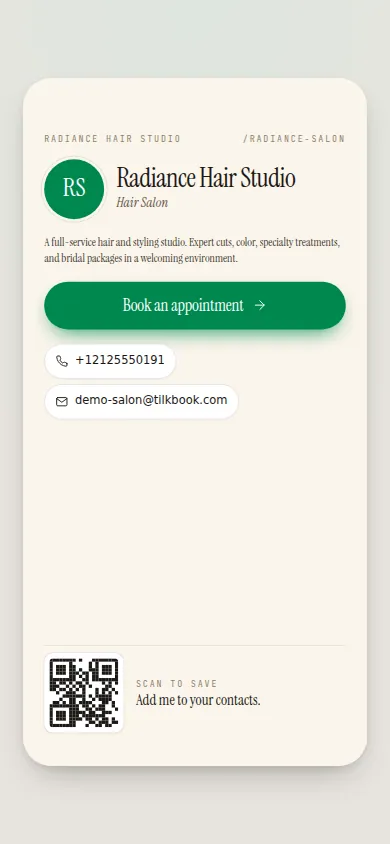
For attorneys who attend networking events, bar association meetings, or referral partner introductions, tilkbook’s digital business card includes NFC-tap functionality: tap a phone to your NFC-enabled business card and the recipient lands directly on your booking page. The digital card also generates a short link and a vCard download. Each staff member — partner, associate, paralegal — gets their own digital business card with their assigned services linked.
Is tilkbook a replacement for Clio, PracticePanther, or MyCase?
No. tilkbook handles the scheduling and intake step only: capturing the client’s interest, holding the slot, sending reminders, and optionally collecting a consultation deposit or engagement fee. Matter management, case notes, document storage, billing, the engagement letter, and attorney-client privileged communications belong in your practice management platform — Clio, PracticePanther, MyCase, Smokeball, or equivalent.
The two tools are complementary. tilkbook’s webhook API allows booking events to be pushed to external systems when a consultation is confirmed, cancelled, or completed. A developer or integration layer can route those events into a CRM or trigger a downstream intake workflow. tilkbook also provides the client contact information collected at booking — name, email, phone — via the admin dashboard and CSV export.
The conflict check workflow is manual: tilkbook collects whatever information you configure on the booking form (including custom fields such as “opposing party name” or “matter type”), and the attorney or paralegal reviews that information before the consultation or before issuing an engagement letter. Automated conflict-check routing is not part of tilkbook’s scope.
Questions lawyers ask first.
Does tilkbook handle confidential client communications?
tilkbook manages scheduling only — appointment times, confirmation emails, and reminders. Confidential document exchange, matter notes, and privileged communications belong in your existing secure client portal or case-management platform (Clio, PracticePanther, MyCase). The booking form collects the information needed to schedule a consultation; it is not a secure messaging channel.
Can we set up separate booking pages for each attorney?
Yes. Each staff member — whether a partner, associate, or paralegal — gets their own availability calendar and assigned services. A client booking a family-law consultation sees only the family-law attorney's availability; an estate-planning inquiry lands on the estate-planning partner's calendar.
Can clients pay a consultation fee at booking?
Yes, with the Stripe payments add-on. Set a deposit or a full consultation fee on any service. The slot only confirms once payment clears through Stripe Checkout. Cancellation windows and refund rules are configurable — set a 48-hour cancellation window with a full refund, or make the fee non-refundable after a shorter window.
Can I embed the booking form on our law firm website?
Yes. tilkbook provides an embeddable widget in four formats: a booking-page link, a popup modal, an inline iframe, and a floating button. Paste the embed code into any page on your firm website and clients can book without leaving your site. No developer required.
Try it in your chair.
Set up a real booking page for lawyers in under 18 minutes. Free to start — no card.