Chiropractic scheduling software — tilkbook
tilkbook gives chiropractic offices a patient-friendly booking page that works around your adjustment schedule. New patient consults, follow-up adjustments, and recurring wellness visits all handled from one dashboard.
Why does online booking for chiropractors need to be different?
Acute patients need multiple appointments per week — one at a time is inefficient
A patient in acute cervical or lumbar pain typically needs two or three adjustments in the first week. Booking each appointment individually — by phone or by returning to the booking page — creates unnecessary friction and risks the patient losing momentum in their care plan.
New patient consults run long; follow-up adjustments are short — double-booking risk
A new patient consult with health history, postural assessment, and the first spinal manipulation takes 60 minutes. A follow-up adjustment with the diversified technique or activator method takes 15–20 minutes. One service slot cannot serve both without creating scheduling collisions.
Cancellations on recurring schedules leave multiple slots empty at once
When a patient on a twice-weekly maintenance care schedule cancels, they often cancel several consecutive appointments. Without a waitlist, those slots sit empty. tilkbook's waitlist auto-offers each freed slot individually to waiting patients.
New patients researching online expect to book without calling
A prospective patient who finds the chiropractic office via Google Search or a referral expects to book instantly. A "call to schedule" barrier loses them to the next practice that has a live booking page.
What features matter for chiropractors?
Recurring appointments for care plans
Set up recurring adjustments on a weekly, twice-weekly, or monthly schedule using RRULE-based recurrence. Acute patients book a series of follow-up adjustments once; maintenance care patients establish an ongoing recurring schedule without calling each time.
Separate services for new patients and follow-ups
Define "New Patient Consult" as a 60-minute service and "Follow-up Adjustment" as a 20-minute service, each with its own duration and price. Patients see the correct options and book the right length — no risk of a new patient landing in a follow-up slot.
Deposit for new patient consultations
Require a deposit at booking for new patient consults to screen for commitment and protect the longer time block. The deposit is configured per service — existing patients on a maintenance care schedule can book follow-up adjustments without a deposit.
Waitlist fills cancellations on recurring schedules
When a patient on a twice-weekly adjustment schedule cancels, tilkbook automatically emails the next waitlisted patient for each freed slot. The waitlist works independently per time slot — so a Monday cancellation and a Wednesday cancellation each notify the right waiting patient.
No-show fee protection
Charge a no-show fee automatically when a patient misses a chiropractic appointment without cancelling. The fee is charged to the saved card without the front desk needing to initiate a call. Configurable per service so the fee applies to new patient consults and not to quick follow-up adjustments if preferred.
Email and SMS reminders
Automated email reminders go out before every appointment at the configured interval. SMS reminders are available as a paid upgrade and are especially effective for patients on twice-weekly adjustment schedules who may lose track of upcoming appointments.
Per-chiropractor availability
Each chiropractor has their own availability schedule. Patients booking a follow-up adjustment with a specific practitioner see only that practitioner's real openings — not time slots belonging to another chiropractor in the practice.
What is chiropractic scheduling software?
Chiropractic scheduling software gives a chiropractic office a patient-facing booking page that handles the specific patterns of chiropractic care: new patient consults that run an hour, follow-up adjustments that run 15–20 minutes, and recurring wellness schedules that repeat weekly or twice-weekly for months. tilkbook is free chiropractic appointment software that manages per-chiropractor availability, automates email reminders, fills cancellations from a waitlist, and supports recurring appointments for ongoing care plans — at no cost for unlimited bookings, with optional payments for deposits and no-show protection.
The scheduling demands of a chiropractic office are meaningfully different from a hair salon or a fitness class. A diversified technique follow-up and a new patient spinal manipulation consultation cannot share the same service slot — the duration gap is too wide and the treatment expectations are too different. tilkbook’s service catalog lets you define each appointment type independently, assign it to the right providers, give it the right duration, and optionally attach a deposit or cancellation window. The result is a booking system that reflects how a chiropractic practice actually operates rather than forcing it into a generic service template.
Why do recurring appointments matter for chiropractic patients?
Chiropractic care rarely involves a single appointment. Acute cervical or lumbar pain typically requires two to three adjustments per week for the first two to four weeks. Patients completing an acute phase often transition to monthly maintenance care or periodic wellness visits for subluxation correction. Managing these ongoing schedules one appointment at a time creates friction for patients and administrative burden for the chiropractic assistant.
tilkbook’s recurring appointment feature, built on RRULE-based recurrence, lets patients set up a schedule once and have it extend automatically. An acute patient books their first new patient consult and then uses the recurring feature to schedule their twice-weekly follow-up adjustments for the next month. A maintenance care patient sets up a monthly appointment that recurs indefinitely until they cancel. No return phone calls. No back-and-forth about availability.
For the chiropractic office, recurring appointments also make revenue more predictable. A patient committed to a recurring schedule is more likely to maintain their care plan than a patient who has to consciously re-book every time. The combination of recurring appointments and automated email reminders — with optional SMS reminders as a paid upgrade — dramatically reduces the drop-off rate between acute and maintenance phases of a care plan.
How does tilkbook handle new patient consults vs. follow-up adjustments?
The most common scheduling collision in a chiropractic office happens when a new patient books a follow-up adjustment slot — the 20-minute slot that the existing patient schedule is built around — and arrives expecting a full hour of health history intake, postural assessment, and first adjustment. The reverse also happens: an existing patient accidentally books a new patient consult and ties up an hour that the schedule can’t spare.
tilkbook prevents this by treating each appointment type as a separate, independently configured service. You define “New Patient Consult” with a 60-minute duration, a deposit requirement, and assignment to chiropractors who take new patients. You define “Follow-up Adjustment” with a 15–20-minute duration, no deposit, and assignment to all chiropractors. The public booking page shows patients only the service that applies to them — and if you want to add a question during booking to route new vs. existing patients, you can restrict service visibility by type.
Buffer time between appointments — for patient intake, X-ray review, traction setup, or decompression table turnover — is configurable per service. A new patient consult might need a 10-minute buffer; a follow-up adjustment using the activator method might need only 5 minutes. tilkbook’s availability engine honours these buffers when generating open slots so the schedule never runs behind.
Can tilkbook fill last-minute chiropractic cancellations automatically?
Yes. tilkbook’s waitlist feature handles this without any manual intervention. When a patient cancels a chiropractic appointment — whether it is a standalone adjustment or one occurrence in a recurring care plan series — tilkbook automatically emails the next waitlisted patient for that time slot with a claim link. The first to confirm claims the slot.
This is particularly valuable for recurring schedule cancellations. When a patient on twice-weekly adjustments cancels Monday and Wednesday appointments simultaneously, tilkbook treats each slot independently. The Monday waitlist is notified for Monday; the Wednesday waitlist is notified for Wednesday. Each slot has the best chance of being filled.
For a busy chiropractic office where a chiropractor’s time is the constraining resource, a filled waitlist slot that would have been empty is pure recovered revenue. The front desk didn’t make a single outbound call — the patient who was waiting received an automated email and claimed the slot themselves.
How does deposit and no-show protection work for chiropractic offices?
tilkbook’s payments add-on, powered by Stripe, gives chiropractic practices two layers of financial protection: deposits at booking and no-show fees after a missed appointment.
Deposits work per service. You require a deposit for new patient consults — where the 60-minute slot is valuable and the risk of a no-show from an uncommitted prospect is highest — without requiring a deposit for follow-up adjustments from established patients on a care plan. When a new patient books, they enter their card and the deposit is charged immediately. The amount is applied against their appointment fee.
No-show fees are charged automatically when a patient misses an appointment without cancelling within the configured cancellation window. tilkbook charges the saved card and logs the transaction in the payments dashboard. The chiropractic assistant doesn’t need to initiate a call or manually process the charge.
Co-pay collection and insurance billing are not part of tilkbook’s feature set — those remain in your practice management software. tilkbook handles the scheduling, payment of deposits, and no-show fees only.
Can each chiropractor have their own schedule?
Yes. tilkbook is built around per-staff availability. Each chiropractor on the team has their own working hours, days off, and service assignments. A patient booking a follow-up adjustment with Dr. Park sees only Dr. Park’s openings, not slots that belong to Dr. Levesque. A patient who wants any available chiropractor can see consolidated availability across the team.
Each chiropractor can also connect their Google Calendar for two-way sync. tilkbook reads busy blocks from the external calendar — study club meetings, CE courses, personal commitments — and never offers a slot that conflicts. Confirmed chiropractic bookings are written back to the practitioner’s Google Calendar so they see their full day in one view.
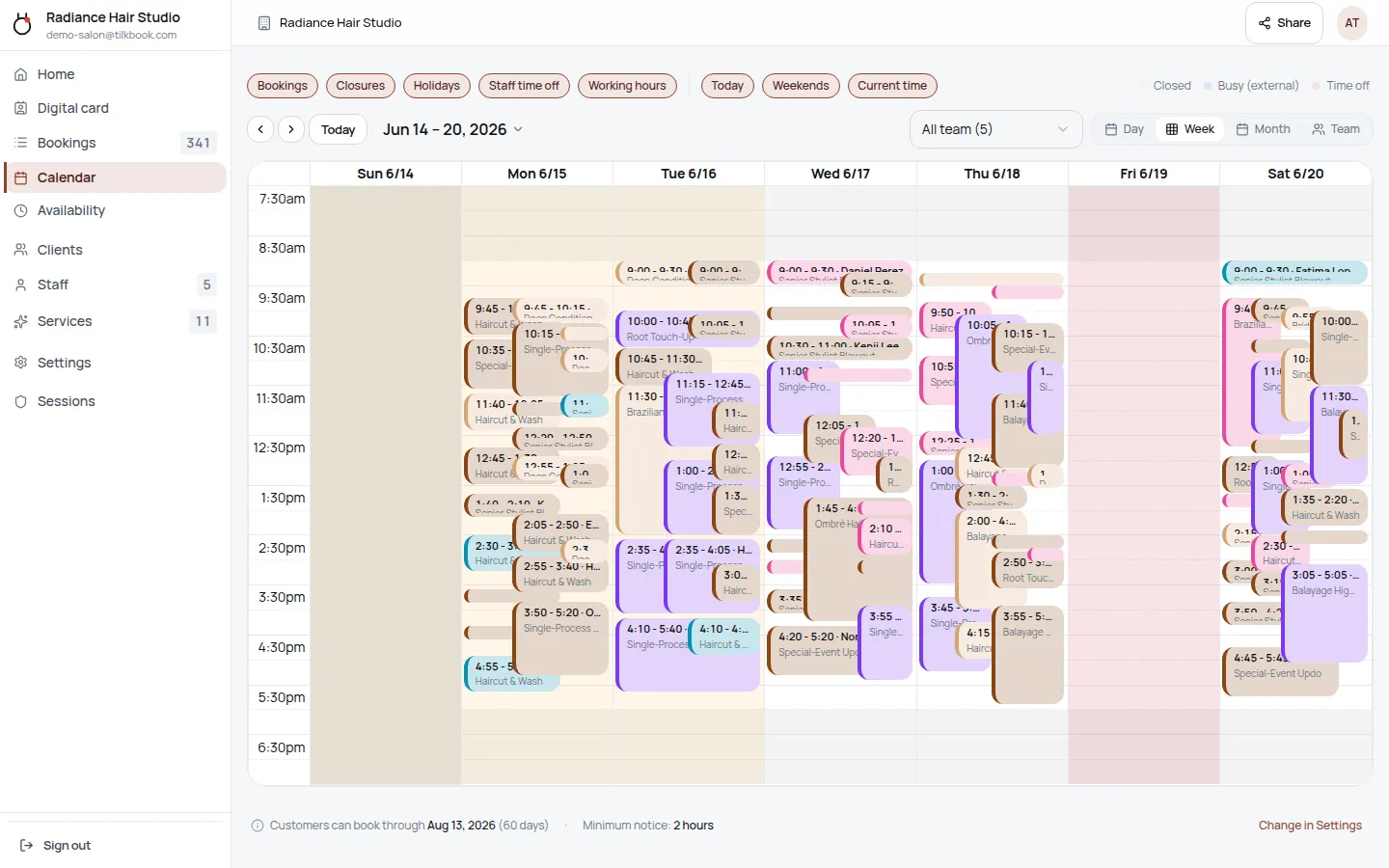
For multi-practitioner chiropractic offices, the staff management dashboard gives the front desk a real-time view of every practitioner’s day: who has openings, who is fully booked, and who has patients waiting. Reassigning a booking from a departing practitioner to a replacement happens from the same dashboard with no manual re-entry.
Getting started with tilkbook for a chiropractic practice
Most chiropractic offices are live in under 45 minutes. The setup flow is:
- Create your account at tilkbook.com and enter the practice name and contact details.
- Define your services — “New Patient Consult,” “Follow-up Adjustment,” “Maintenance Visit,” and any other appointment types your practice offers, each with its own duration.
- Add your team — invite each chiropractor and chiropractic assistant. Each practitioner sets their own availability independently.
- Set business hours — your opening hours, holiday closures, and any recurring days off.
- Enable payments (optional) — connect Stripe to require deposits on new patient consults and enable no-show fee charging.
- Go live — share the booking link on your website, Google Business profile, and any referral cards.
tilkbook ships a pre-built chiropractic vertical template with common services and durations that you can import in one click and customise. The booking page goes live 24/7 — patients can book a new patient spinal manipulation consultation at midnight without calling the front desk — and every booking appears immediately in the admin calendar assigned to the right chiropractor.
Questions chiropractors ask first.
Does tilkbook handle insurance billing or SOAP notes?
No — tilkbook handles scheduling only. Insurance claim submission, co-pay tracking, and SOAP note documentation remain in your practice management or EHR system. tilkbook does not integrate natively with chiropractic practice management software. Booking data and patient contact records can be exported via CSV or pushed to other systems via tilkbook's webhook API.
Can I schedule a block of 12 adjustments in advance?
Yes. The recurring appointment feature supports ongoing adjustment schedules — weekly, twice-weekly, or any custom interval. Patients set up a recurring series once and it populates their calendar automatically. For new patients, a deposit can be required at the time of booking the initial consult to hold their series slot.
Is there a separate flow for new patients vs. existing?
Yes. Set up "New Patient Consult" and "Follow-up Adjustment" as separate services with different durations, prices, and availability settings. New patients see the consult option; existing patients on care plans see the follow-up option. You control which services appear on the public booking page.
Can I use tilkbook for HSA/FSA payment collection?
tilkbook processes card payments via Stripe, which accepts HSA and FSA cards that have a Visa or Mastercard network logo. Whether a specific HSA/FSA card is accepted depends on the card issuer's network enablement. tilkbook does not provide insurance superbills or HSA/FSA receipts — those remain in your practice management system.
Try it in your chair.
Set up a real booking page for chiropractors in under 18 minutes. Free to start — no card.