Photography session booking software — tilkbook
tilkbook gives photographers a professional booking page for portrait sessions, events, and mini sessions. Deposits protect your shooting days, confirmation emails go out automatically, and the waitlist fills cancellations automatically.
Why does online booking for photographers need to be different?
A no-show on a portrait session leaves a full shooting day empty
A $300 portrait session that no-shows costs more than the session fee — it burns golden-hour time, fuel, and setup that cannot be recovered. A deposit at booking is the only reliable protection.
Mini session days require rapid sequential booking management
A fall mini session day with 12–15 clients in 20-minute blocks is impossible to manage by DM. A booking page with a 20-minute service generates the consecutive slots automatically — clients book themselves in.
Instagram inquiries require 4–6 back-and-forth messages before a session is booked
An Instagram DM inquiry asking about availability turns into a 3-day thread before a time is confirmed. A booking link in the Instagram bio compresses that to one click and one form.
What features matter for photographers?
Session deposits and retainer collection via Stripe
Require a fixed deposit or percentage retainer at booking. The session slot holds only once payment clears. Set your cancellation window and late-cancel fee — Stripe charges it automatically when a client cancels too close to the shoot day.
No-show fee protection
If a client does not show for their booked session, tilkbook triggers the configured no-show fee via Stripe. You can excuse individual no-shows when circumstances warrant, without losing the ability to enforce the policy consistently.
Mini session sequential slot generation
Create a "Mini Session" service with a 20- or 30-minute duration. tilkbook's availability engine generates consecutive available slots automatically across the shooting day. Clients pick their slot from the live calendar — no double-bookings, no manual slot management.
Waitlist for sold-out sessions
When a mini session day or a popular time slot fills, clients join the waitlist. If a cancellation opens a slot, the first waitlisted client receives a claim link automatically. Last-minute openings fill without a phone-around.
Per-session service types with separate pricing
Create distinct services for portrait sessions, family sessions, newborn sessions, headshots, brand photography, and mini sessions — each with its own deposit, cancellation policy, duration, and availability window.
Digital business card with NFC tap for on-site sharing
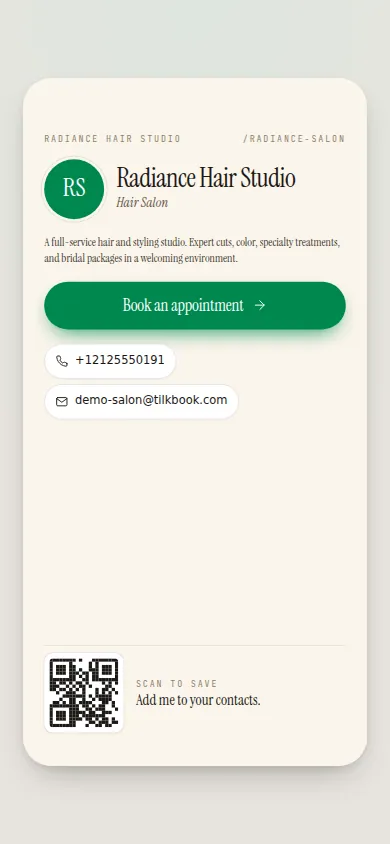
At styled shoots, brand events, or client delivery meetings, tap your NFC business card to a prospect's phone and they land directly on your booking page. The card also generates a short link and vCard download.
What is the best free booking software for photographers?
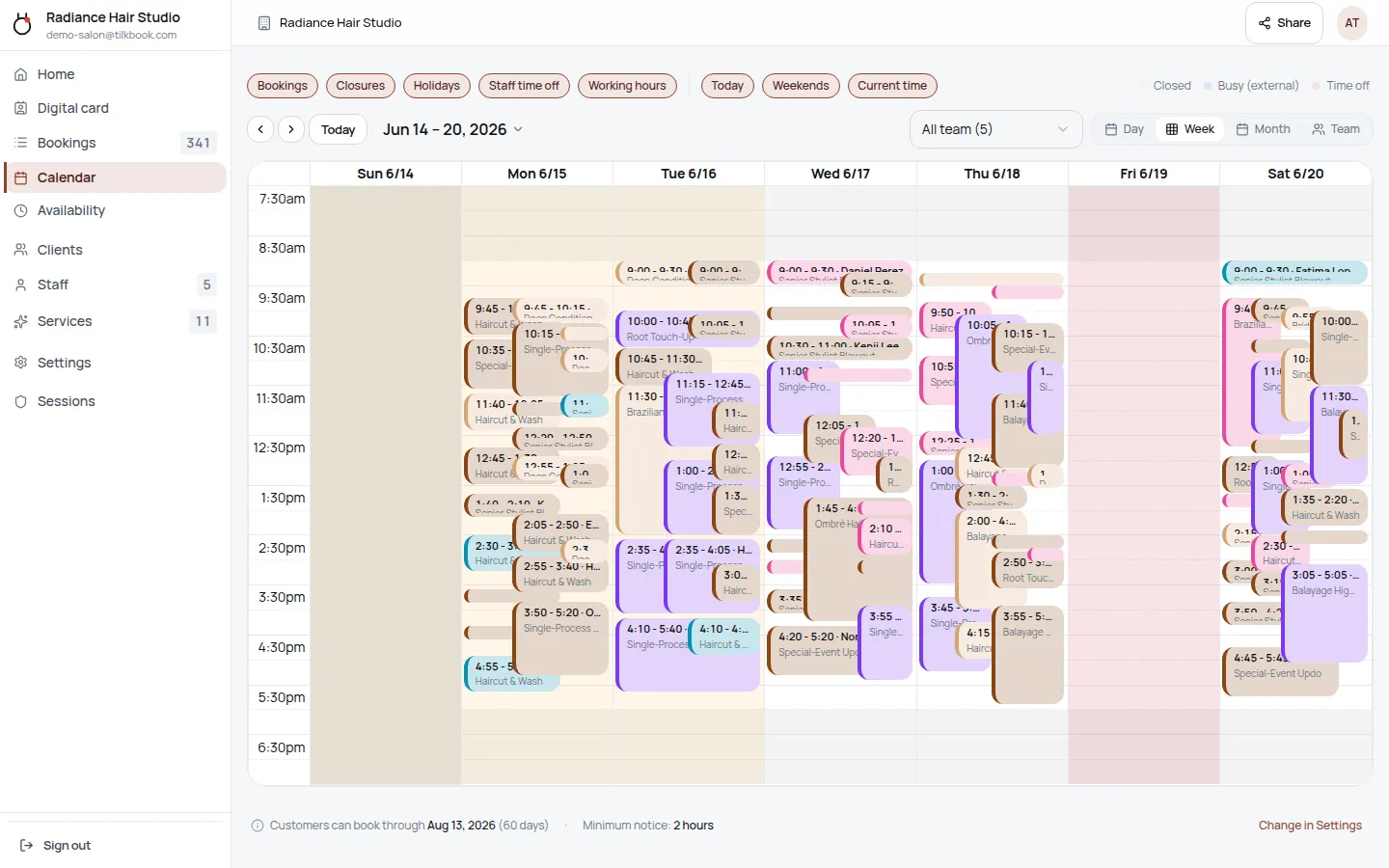
tilkbook is free online scheduling for photographers — portrait photographers, family and newborn photographers, headshot and brand photographers, and mini session specialists. A photographer creates a public booking page, lists their session types as separate bookable services, and sets their availability. Clients book directly from any device — no DM thread, no email chain — and receive an automatic confirmation with session details. The admin calendar shows every upcoming shoot in a clean week view.
The core scheduling product is genuinely free: unlimited bookings, no credit card required, no per-booking fee. Photographers who want to require a deposit or retainer at booking activate the optional Stripe payments add-on. SMS reminders are available as a paid upgrade on top of free email reminders. The waitlist, sequential slot generation for mini sessions, digital business card, and embeddable widget are all included at no cost. A photographer can go from sign-up to a live booking page in under 20 minutes.
Setmore is a commonly used booking tool in the photography niche, but it charges for key features like payment collection and SMS reminders. tilkbook is free to start, with deposits and no-show fees available through the Stripe add-on and SMS as a paid upgrade — with no subscription required to use the scheduling itself.
Why is a deposit mandatory for every photography booking?
A portrait session no-show is a qualitatively different loss than a missed hair appointment. A session booked for golden-hour outdoor shooting involves location scouting, travel, setup, and a time block that cannot be partially recovered. A Saturday that was reserved for a $300 family session and then abandoned by the client at the last minute burns the entire shooting window.
A deposit — either a fixed retainer amount or a percentage of the session fee — is the only reliable protection. When a client pays a deposit at booking via Stripe, two things happen: the slot is confirmed only after payment clears, and the client has a concrete financial stake in showing up. The cancellation rate on deposit-backed bookings is measurably lower than on free-hold bookings.
tilkbook’s Stripe payments add-on handles the entire deposit workflow. You set the deposit amount on each service (for example, $100 retainer on a $400 portrait session, or a $200 full-payment deposit on a $200 headshot session). You configure the cancellation window — 14 days, 7 days, 48 hours — and the late-cancel fee. If a client cancels inside the window, Stripe charges the fee automatically. If they do not show at all, the no-show fee triggers. You can excuse individual no-shows when circumstances warrant — a family emergency, a genuine illness — without weakening the policy for other clients.
For newborn photographers booking maternity clients before the due date, the deposit also protects against the inherent uncertainty of birth timing: the rescheduling window allows flexibility while the deposit ensures the client stays committed to the rebooking.
How does tilkbook handle mini session days?
Mini sessions — a single shooting day with 12–15 clients in rapid 20-minute blocks — are a recurring revenue model for family photographers, maternity photographers, and seasonal portrait specialists. Fall mini sessions, holiday mini sessions, and Valentine’s styled shoots all follow the same pattern: one day, multiple clients, consecutive slots.
Managing mini session availability manually is error-prone. Photographers who sell mini sessions via Instagram story DMs or email signups frequently end up with double-bookings, missed confirmations, or a chaotic morning of clients arriving in the wrong order.
tilkbook’s availability engine solves this with sequential slot generation. A photographer creates a “Fall Mini Session” service with a 20-minute duration, then configures the shooting day’s hours — for example, 9:00 AM to 2:00 PM. tilkbook generates the consecutive available slots automatically: 9:00 AM, 9:20 AM, 9:40 AM, 10:00 AM, and so on through the day. Clients open the booking page and pick from the available slots. When a slot is claimed, it disappears from the calendar in real time — no double-bookings, no manual slot management, no confirmation emails to draft individually.
Each mini session booking triggers an automatic confirmation with the session time, location or studio address, what to wear notes (if added to the service description), and the deposit confirmation. Reminders fire automatically before the session day.
The waitlist handles overflow: when all mini session slots are claimed, additional clients can join the waitlist. If a client cancels, the first waitlisted client receives a claim link immediately. A popular fall mini session day that books out in hours will still accommodate waitlisted families if any slot opens.
How does tilkbook manage different session types and pricing?
A working portrait photographer typically offers a range of session types with different durations, pricing, and client experiences. tilkbook’s service catalog handles multiple service types independently, each with their own deposit, cancellation policy, duration, and availability window.
A typical photographer’s service menu might include:
- Portrait Session (2 hours, $200 retainer on a $500 session)
- Family Session (90 min, $150 retainer on a $400 session)
- Newborn Session (2–3 hours, $200 retainer, flexible rescheduling window)
- Maternity Session (60 min, $100 retainer on a $300 session)
- Headshots — Individual (60 min, $150, full payment at booking)
- Brand Photography — Half Day (4 hours, $500 retainer on a $1,200 session)
- Engagement Session (90 min, $150 retainer)
- Fall Mini Session (20 min, $100 full payment at booking)
Each service has independent settings. A newborn session has a longer rescheduling window than a standard portrait session because birth timing is unpredictable. A headshot session aimed at corporate clients might require full payment rather than a partial retainer. A styled shoot for a boudoir photographer has a different cancellation policy than a family mini session.
Per-service availability windows let a photographer open certain services only during specific seasons — fall mini sessions available in September and October, holiday minis in November and December — without making those services visible year-round.
How do automated confirmations and reminders work for photography bookings?
When a client books a session, tilkbook sends an immediate confirmation email with the session type, date, time, location or studio address (from the service description), deposit confirmation, and any pre-session instructions the photographer has added — what to wear, parking details, whether to bring edited gallery delivery preferences.
Automatic reminders fire before the session at intervals configured per service. A portrait session might get a reminder 7 days before and again 24 hours before. A 20-minute mini session might get one reminder the evening before the shoot day. Reminder timing is fully configurable.
Confirmation emails also include a reschedule link (within the configured rescheduling window) so clients can move their own session without calling or DMing. This is particularly valuable for newborn and maternity photographers where date flexibility is part of the product offering.
Photographers who want to reach clients by text message in addition to email can add SMS reminders as a paid upgrade. A text reminder 24 hours before a family portrait session — sent to the parent’s phone — dramatically reduces last-minute no-shows on family bookings where the adults are managing children’s schedules and a single email reminder might be missed.
How does the digital business card work for photographers?
Photography is a referral-driven business. A satisfied client recommends you to a friend, a second shooter recommends you to their client, a brand event introduces you to a new contact. Each of those moments needs a frictionless path from referral to booked session.
tilkbook’s digital business card gives each photographer an NFC-enabled card with a short link and vCard download. At a styled shoot, a brand event, a model release session, or a family delivery meeting, tapping your NFC business card to a prospect’s phone opens your booking page directly — no app required, no URL to type, no business card to lose. The short link goes in Instagram bios, email signatures, and LinkedIn profiles. The vCard download lets contacts save your details directly to their address book alongside your booking page URL.
An associate photographer building their own client base, a second shooter transitioning to lead photographer, or a brand photographer expanding from headshots to full brand photography packages can use the digital card to make every networking moment bookable immediately.
Can I embed the booking page on my photography website?
Yes. tilkbook’s embed configurator generates a booking widget in four formats: a direct booking-page link (for Instagram bio, email signature, or Google Business listing), a popup modal triggered by a “Book a Session” button, an inline iframe on any website page, and a floating button that sits in the corner of every page on your site.
A photographer with a Squarespace portfolio site, a Wix gallery, a WordPress website, or a custom HTML site can paste the embed code and add a fully functioning booking flow without development work. Clients browse the portfolio and book a session without leaving the site. When the Stripe payments add-on is enabled, the deposit step is embedded in the same flow.
The embeddable widget supports brand-colour overrides so the booking flow matches your website’s visual style rather than defaulting to generic tilkbook branding.
Questions photographers ask first.
Can I set up mini sessions — multiple clients on one day in 20-minute blocks?
Yes. Create a "Mini Session" service with a 20-minute duration and configure the shooting day's available hours. tilkbook generates consecutive available slots automatically — 9:00 AM, 9:20 AM, 9:40 AM, and so on — and clients book individual slots from the live calendar. When a slot fills, it disappears from the booking page. No double-bookings, no manual slot management.
Does tilkbook handle contracts and model releases?
tilkbook manages scheduling and payment deposits; contracts and model releases should be managed through a separate document tool such as Dubsado, HoneyBook, or HelloSign. tilkbook sends booking confirmations automatically with your configured policy text and instructions — clients receive the confirmation when they book, and reminders before their session.
Can I charge a non-refundable deposit at booking?
Yes. Set a deposit amount (fixed or percentage) and configure the cancellation policy. You can set a cancellation window — for example, 14 days before the shoot — after which the deposit is non-refundable. The policy is displayed to clients at booking so there is no ambiguity. Stripe handles the deposit collection and, if applicable, the late-cancel or no-show fee.
Can clients reschedule themselves?
Yes. Confirmation emails include a reschedule link. Within the rescheduling window you set, clients can move their own session to a new available slot without calling or messaging you. Reschedules outside the window require you to handle them manually from the admin calendar — the rescheduling window is configurable per service.
Try it in your chair.
Set up a real booking page for photographers in under 18 minutes. Free to start — no card.